
An interactive game floor is a commercial attraction: players step on illuminated modules, sensors detect interaction, and control software runs the games and scoring. A practical maintenance plan protects uptime, player safety, surface condition, and the useful life of the equipment.
This guide explains what operators should check before opening, between sessions, and during scheduled service. The exact cleaning products, inspection intervals, and replacement procedure should always follow the manufacturer’s current instructions for your model.

Why Interactive Game Floor Maintenance Matters
Commercial floors operate under repeated foot traffic, cleaning, cable movement, and long daily sessions. Small issues are easier to resolve when they are found during a routine check rather than after a whole zone stops responding.
- Availability — keep the attraction open and reduce avoidable downtime.
- Player safety — identify loose modules, damaged surfaces, exposed cables, or liquid before a session.
- Game accuracy — confirm that sensors, lights, scoring, and controls respond consistently.
- Service cost — replace a module or connector when needed instead of delaying a larger repair.
- Asset life — keep the floor, electronics, software, and spare parts organized for long-term use.
Daily Opening Checklist
Assign one trained team member to complete the same short inspection before the first session. Record the date, operator, affected zone, and action taken so recurring issues are visible.
- Walk the full play area and look for lifted, shifted, cracked, or visibly damaged modules.
- Check that module connections, power leads, and control cables are fully seated and routed away from walking paths.
- Power on the system and confirm that the floor starts without warning messages or abnormal noise.
- Test representative modules in every zone: lights, player input, game response, and scoring.
- Check the surrounding area for moisture, spilled drinks, dust buildup, or objects that could enter the equipment.
- Confirm that emergency stop procedures and staff access to the control equipment are clear.
Cleaning the Surface Without Damaging the Equipment
Cleaning should remove dirt and residue without forcing liquid into seams, connectors, sensors, or control equipment. Use the cleaning method approved for the actual surface material and finish; do not assume that a household chemical is safe for every floor.
- Stop the game, isolate power when the manufacturer requires it, and let hot components cool before cleaning.
- Remove loose dust and debris first with a soft, non-abrasive method.
- Use a lightly damp cloth or the approved solution on the cloth, not a wet mop or direct spray over the floor.
- Keep liquid away from module joints, cable connections, ventilation openings, controllers, and power supplies.
- Dry the surface before reopening the attraction and record any stain, crack, lifting, or change in finish.
- Keep a written list of approved and prohibited cleaning products for every shift.
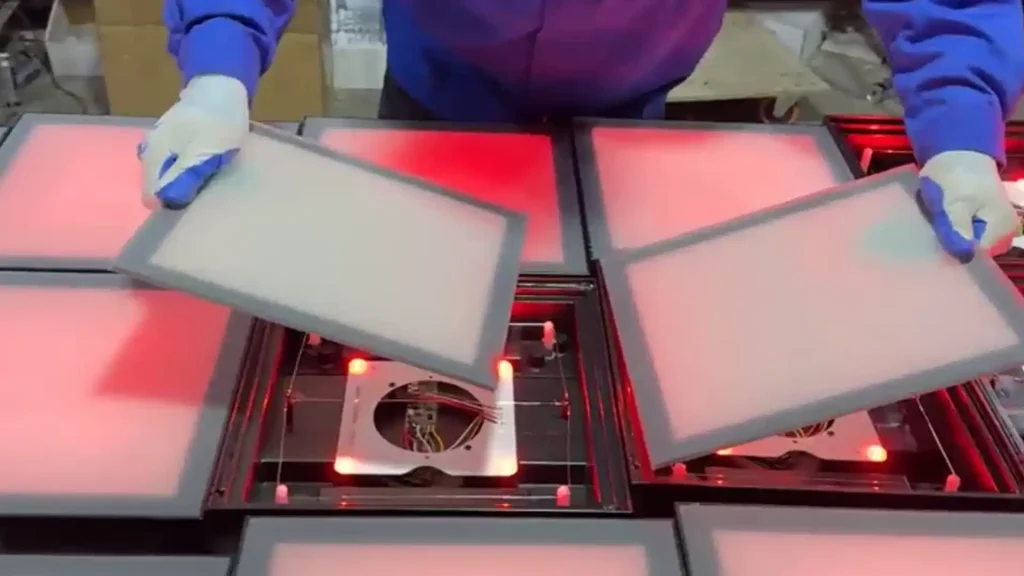
Inspecting Modules, Sensors, and Connections
When a module behaves differently from the rest of the floor, isolate the smallest affected area first. The goal is to identify whether the issue is physical, electrical, or software-related before replacing parts.
- Surface and housing — look for cracks, sharp edges, movement, or damage around the module.
- Sensing response — test whether a player input is detected reliably and whether false triggers occur when the area is empty.
- Lighting and display — compare brightness, color, flicker, and dead areas with nearby modules.
- Connections — inspect quick-connect plugs, power leads, and data cables for looseness, contamination, or visible damage.
- Zone behavior — note whether the problem follows one module, one cable, one controller, or an entire zone.
Do not open power supplies or modify wiring unless the manufacturer’s procedure authorizes it and the person performing the work is qualified. Keep photographs and test notes with the maintenance record so remote support can diagnose the issue faster.
Software, Games, and Control Checks
A floor can be physically healthy while the player experience is still degraded by a configuration, content, or controller issue. Include the control system in the same maintenance routine.
- Confirm that the control computer, controller, and display interface start normally.
- Run a known test game and verify input, timing, scoring, and reset behavior.
- Record software versions and back up approved configuration files before making updates.
- Install updates only through the manufacturer’s approved process and test them outside peak operating hours when possible.
- Keep administrator credentials, license information, and recovery instructions in a controlled location.
- Remove unauthorized files or settings that could change game behavior or system stability.
Weekly and Scheduled Maintenance
Daily checks catch visible and functional problems. A scheduled service review should look for wear that is not obvious during a quick opening inspection. Set the interval according to operating hours, venue conditions, and the manufacturer’s service instructions.
- Review repeated faults, slow responses, and modules that have been reset more than once.
- Inspect cable routing, strain points, connectors, ventilation, and the control cabinet area.
- Clean accessible edges and surrounding spaces where dust or debris can accumulate.
- Verify that spare modules, cables, connectors, and tools are labeled and stored in a dry, accessible place.
- Review staff maintenance logs and retrain operators when the same handling mistake repeats.
- Ask the manufacturer whether the current firmware, game package, and warranty procedure are up to date.
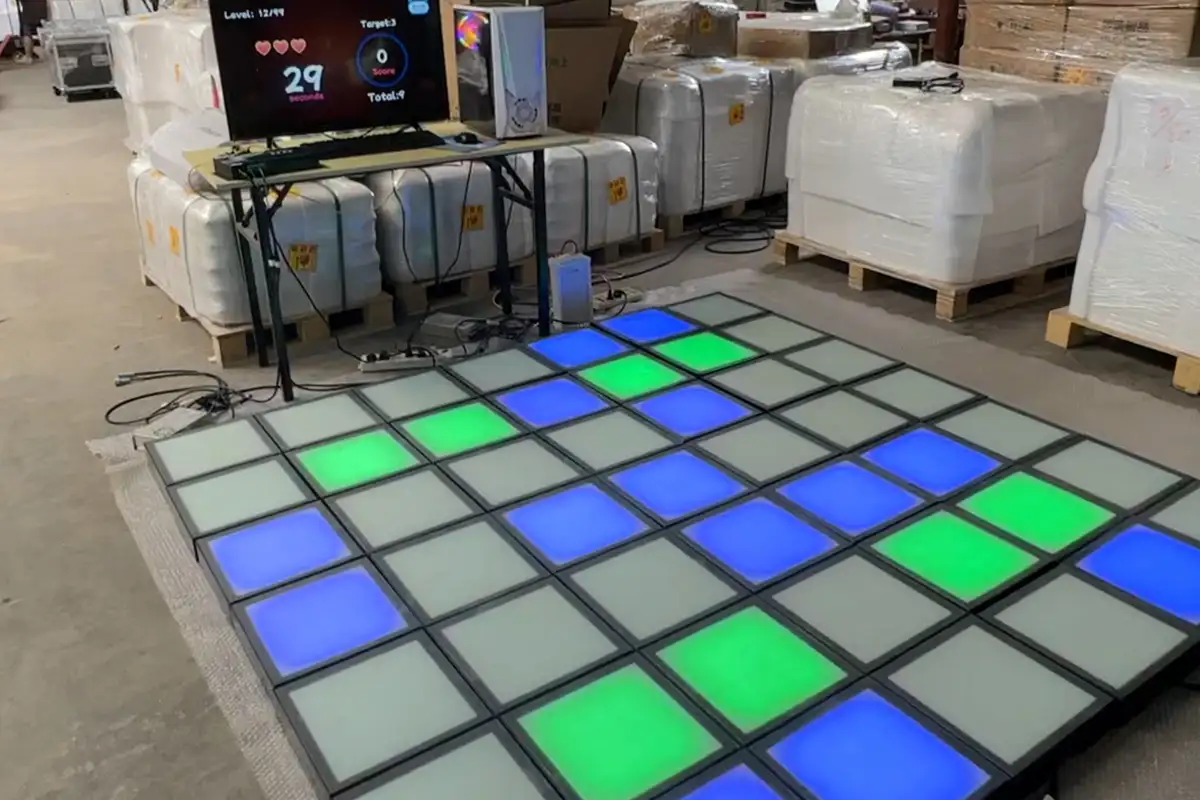
What to Do When One Module Fails
A single failed module should not automatically mean sending the whole floor back. First stop player access to the affected area, label the location, and document the symptoms.
- Take clear photos of the module, connections, controller indicators, and any error message.
- Record when the issue started, what game was running, and whether the fault is constant or intermittent.
- Follow the manufacturer’s approved isolation and replacement steps; do not swap parts randomly.
- Test the replacement module in the affected zone before reopening the area.
- Keep the failed part until the manufacturer confirms whether it should be returned for analysis or warranty handling.
- Update the spare-parts and maintenance log with the part number, date, cause, and resolution.
Spare Parts and After-Sales Support
Before ordering an interactive game floor, ask which parts operators can replace locally and which repairs require factory support. A useful service plan identifies the responsible contact, response process, spare-part availability, and freight responsibility in writing.
- Which modules, cables, connectors, sensors, or control components are replaceable on site?
- What spare quantity is recommended for the floor size and expected operating hours?
- How are part numbers and compatible revisions identified?
- What photos, logs, or test results are required for technical support?
- How are warranty claims handled, and who pays shipping for a replacement?
- Is remote guidance available for diagnosis, configuration, and commissioning?
Maintenance Records Operators Should Keep
A simple record is more useful than a complicated system that staff do not complete. Keep one entry for each inspection, incident, part replacement, software change, and support case.
- Date, time, operator, and operating hours
- Affected zone or module identification
- Observed symptom and photographs
- Cleaning or inspection completed
- Part number and replacement date
- Software or configuration change
- Support contact, recommended action, and final result
How Victor Activate Games Supports Serviceability
Victor Activate Games supplies commercial interactive game floor systems with factory technical support, CAD layout support, and configuration guidance. Ask for the maintenance and spare-parts procedure for your exact configuration before production and keep that documentation with the venue’s operating records.
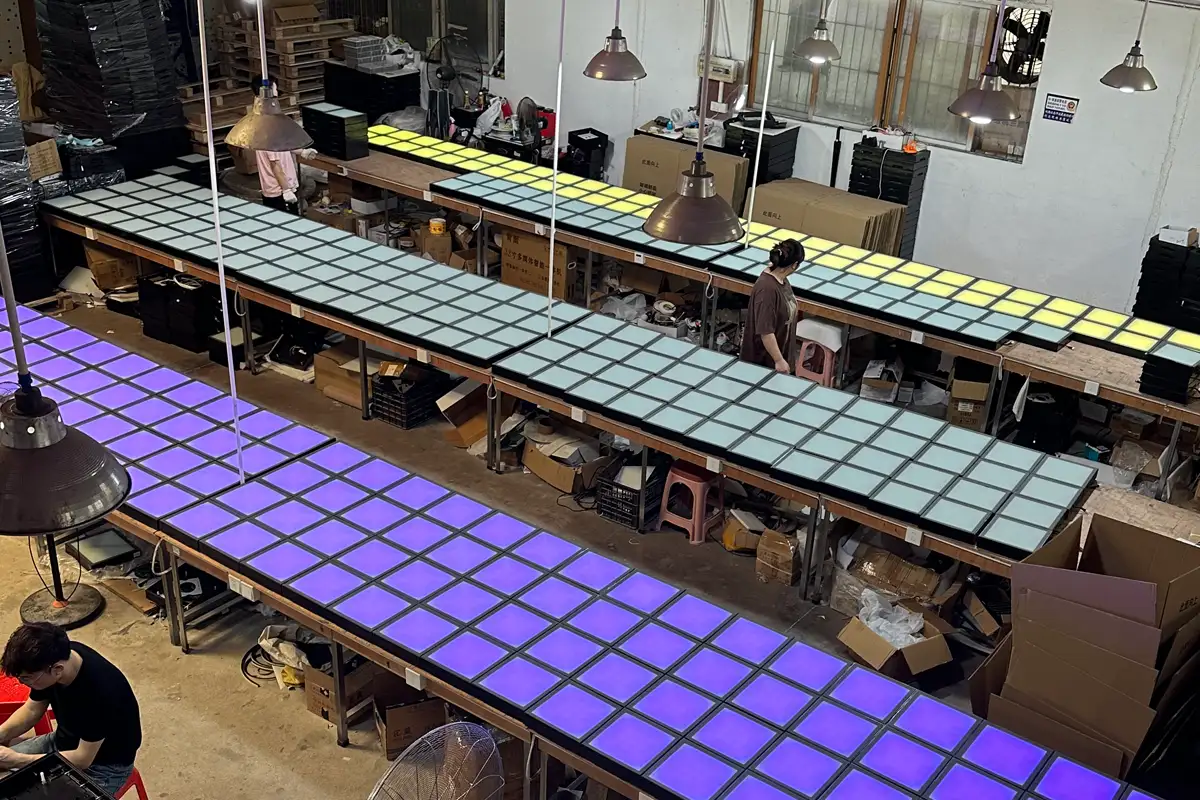
For the product configuration, see the interactive game floor product page. For room dimensions and layout planning, see interactive game floor dimensions and our size specifications.
Questions to Ask Before Buying
- What cleaning products and methods are approved for the surface?
- Which parts can venue staff replace, and which require a technician?
- How are sensors and connections tested before shipment?
- What spare parts should be included for my floor size and operating schedule?
- What logs, photos, and response times apply to a support or warranty case?
- How are software updates, game backups, and license recovery handled?
- Can you provide a written maintenance procedure for the exact configuration?
Frequently Asked Questions
How often should an interactive game floor be cleaned?
Clean visible dirt and spills as part of the venue’s daily operating routine, then follow the manufacturer’s approved method for deeper scheduled cleaning. The correct interval depends on traffic, surface material, and venue conditions.
Can I use a normal floor cleaner on an interactive game floor?
Do not assume that a normal floor cleaner is safe. Use only the product and dilution approved for the installed surface, and keep liquid away from seams, connectors, sensors, and control equipment.
What should I do if one module stops responding?
Close the affected area, record the symptoms, photograph the module and connections, and follow the manufacturer’s isolation and replacement procedure. Do not open electrical equipment or swap parts without an approved procedure.
Does maintenance require a technician?
Routine cleaning, visual inspection, and approved functional checks can often be handled by trained venue staff. Electrical, structural, software, or warranty work should follow the manufacturer’s instructions and qualified-person requirements.
What spare parts should an operator keep?
The recommended kit depends on the floor design, module count, traffic, and support arrangement. Ask the manufacturer for a written list of compatible modules, cables, connectors, and other service parts for your exact configuration.
How can maintenance records help with warranty support?
A dated record of inspections, symptoms, photos, part numbers, and support actions gives the manufacturer useful evidence for diagnosis and helps show how the system has been operated and maintained.
Request an Interactive Game Floor Quote
A maintenance plan should be part of the purchase conversation, not an afterthought. Send your venue dimensions, expected operating hours, and installation requirements, and our team can recommend a configuration with technical and after-sales support.
Written by Victor Activate Games Technical & Sales Team — Last updated: October 2026